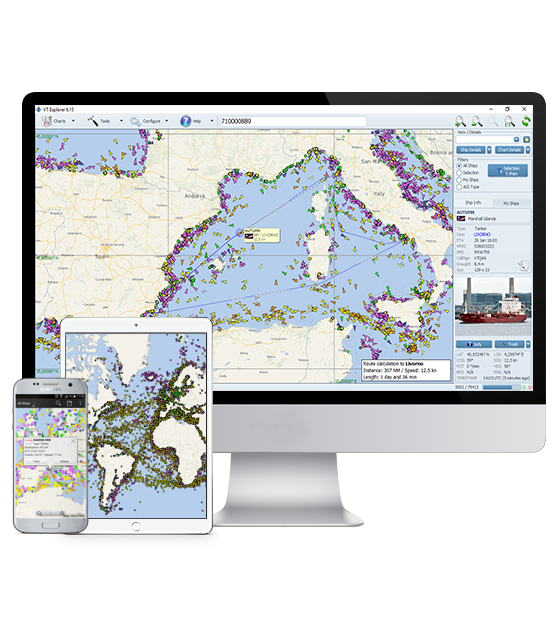
Vessel Tracking Software Download

VT EXPLORER

Setup Pack
(EXE file, 11.09 MB)

DOWNLOAD VT EXPLORER

Installation Instructions

  • Download and install software from the setup package
  • Start VT Explorer from the shortcut on your desktop
  • Immediately after the initial launch, VT Explorer downloads some updates (if needed) and runs in FREE TRIAL MODE. This mode of operation has the following restrictions:
- random data delay (at least 72 hours)
- some areas are not included
- vessel movement history is not available
- additional vessel information is not available
- update rate is 5 minutes
  • If you have a valid subscriber account, please select "Configure" / "User Account" from the main menu and enter your account. In case of proper account configuration you will be able to see the real time vessel traffic data and all software functions will be available to you.

Technical Requirements

For normal operation of VT Explorer it is necessary that the user's computer fulfills the following minimum requirements:
  • CPU Intel / AMD, ≥ 1000MHz
  • Memory (RAM) ≥ 512MB
  • Free hard disk space ≥20MB
  • Video resolution ≥ 1024 x 768 pixels
  • Color palette ≥ 16-bit (65536 colors)
  • Operating system: MS Windows XP / Vista / 7
  • Internet connection
 
VT EXPLORER FOR MOBILE DEVICES

User manual /English/
(PDF file, 0.68 MB)

DOWNLOAD
Adobe Acrobat Reader
donwload

User manual /Bulgarian/
(PDF File, 0.70 MB )

DOWNLOAD

FOLLOW US